
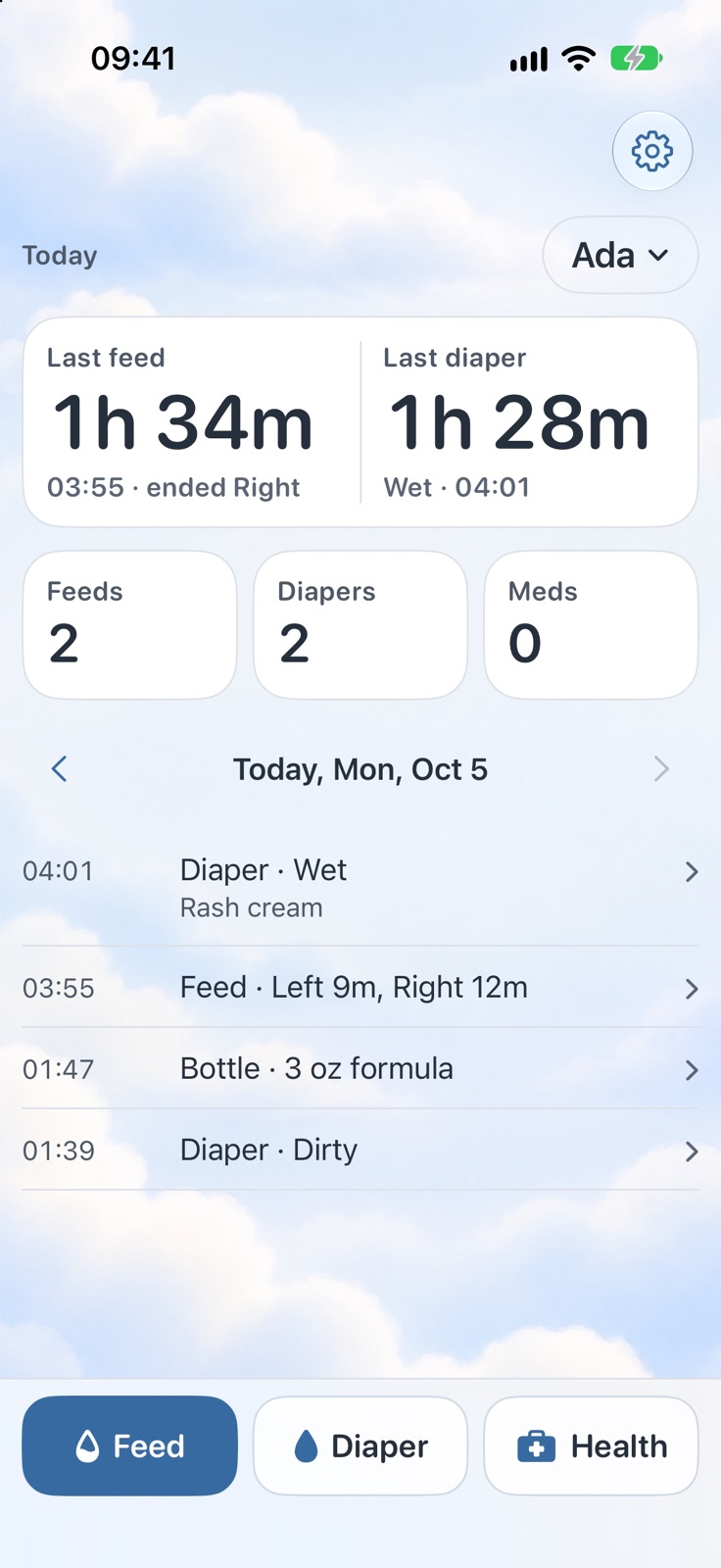
One tap to log
Feed, Diaper and Health sit at the bottom of the screen, right under your thumb, so logging takes a tap or two.
A calm baby log for feeds, diapers, medicine and temperatures, made for the middle of the night.
What it does
Feed, Diaper and Health sit at the bottom of the screen, right under your thumb, so logging takes a tap or two.
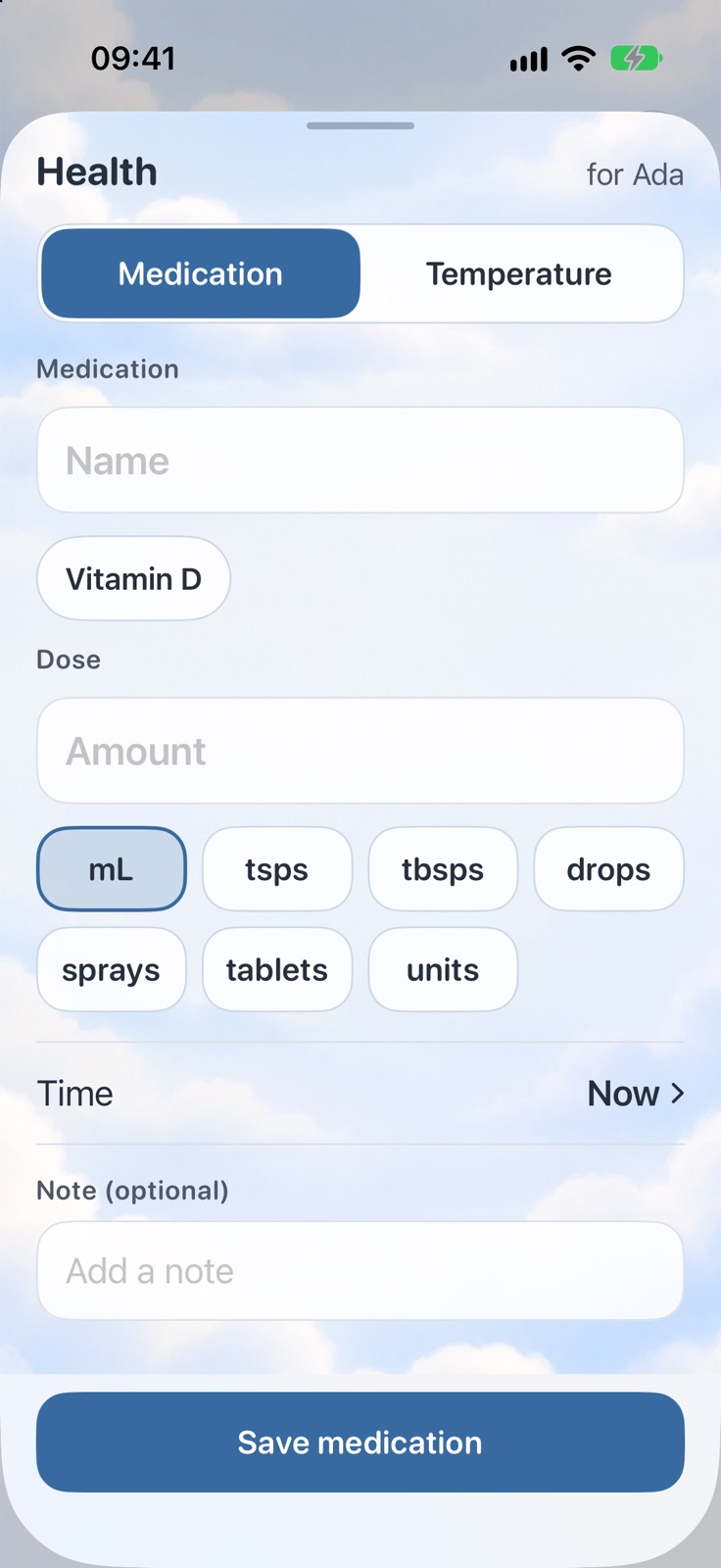
Log a dose in a few taps. Medicines you've given before are one tap away, with the last dose filled in for you to check.
The top of the screen answers the night's question: how long since the last feed and the last diaper.
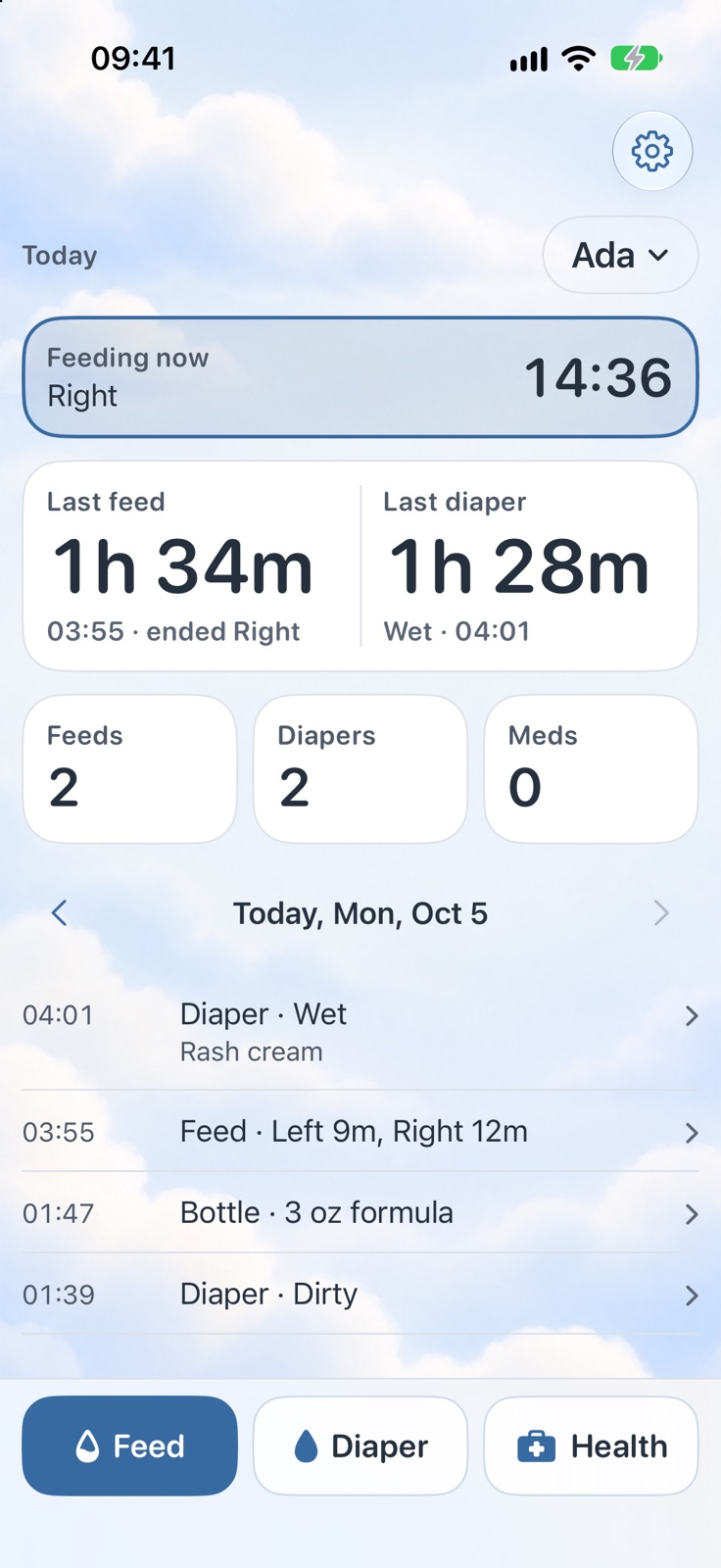
Time each side, switch sides and pause with big buttons you can hit without looking.
Features
29 things Small Hours does, grouped by what you're trying to do.
Tap wet, dirty, both or dry and it's saved, with a quick note like rash cream if you want one.
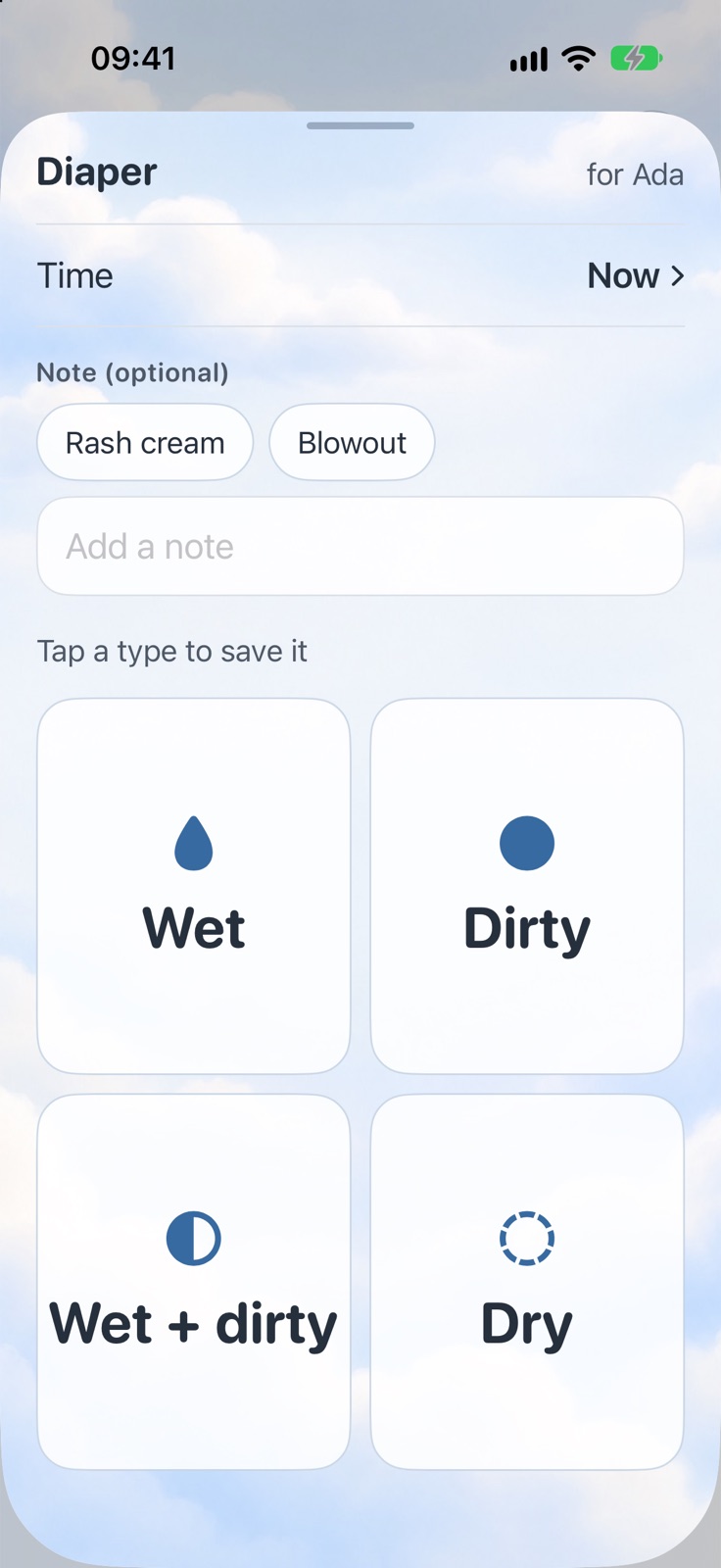
Log a bottle in ounces or milliliters, breast milk or formula.
Record temperatures in Celsius or Fahrenheit, with where you took them.
Every entry for the day in order, and earlier days a swipe away.
Keep a log for each child and switch with one tap. Twins and siblings each get their own history.
Shows which side the last feed ended on, so you know where to start.
The running feed shows on the Lock Screen and in the Dynamic Island, with Switch, Pause and End buttons.
ProSee how long since the last feed without unlocking your phone.
ProLast feed and diaper on your Home Screen, with Feed and Diaper buttons that log right from the widget.
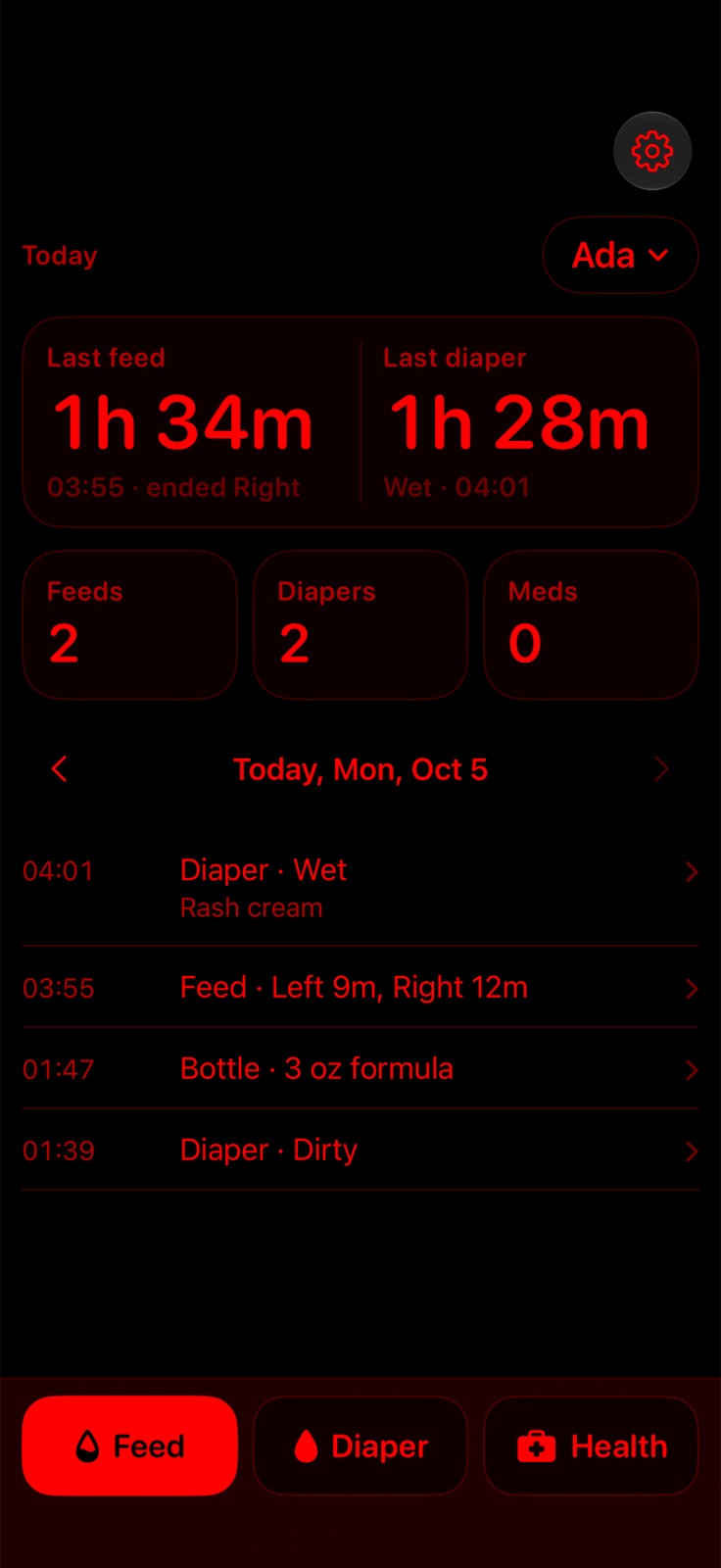
ProAn all-red look for dark rooms, easier on your eyes and on a sleeping baby.
No account, no ads and no tracking. Your logs stay on your phone, and in your own iCloud once sharing is on.
A tidy PDF of feeds, diapers, medications and temperatures to bring to appointments.
Pro
No account, no ads and no tracking. Your logs stay on your phone, and in your own iCloud once sharing is on.
Pricing
Logging and the feeding timer are free. Small Hours Pro adds widgets, the Lock Screen timer, Siri and Control Center, doctor reports and a night schedule: $1.99 a month, $14.99 a year with a 7-day free trial, or $39.99 once. Family Sharing included.
Log feeds, diapers and health, with the feeding timer.
Log from the Lock Screen, widgets, Siri and Control Center.
Everything in Free, plus:
Family Sharing included.
| Feature | Free | Pro |
|---|---|---|
| Control Center buttons | Feed button opens Small Hours to log a feed | Wet and dirty diaper buttons log without opening the app |
| Timer on the Lock Screen | Not included | Included |
| Lock Screen widget | Not included | Included |
| Home Screen widgets | Not included | Included |
| Siri and Shortcuts | Not included | Included |
| Reports for the doctor | Not included | Included |
| Night on a schedule | Not included | Included |
| CSV export | Not included | Included |
Questions
Logging and the feeding timer are free. Small Hours Pro adds widgets, the Lock Screen timer, Siri and Control Center, doctor reports and a night schedule: $1.99 a month, $14.99 a year with a 7-day free trial, or $39.99 once. Family Sharing included.
iPhone (iOS 26.1 or later).
No account, no ads and no tracking. Your logs stay on your phone, and in your own iCloud once sharing is on.
Something else? Ask us.
Baby log for the night shift